Setup Guides
How to Configure Multiple Proxies at the Same Time
How to Configure Multiple Proxies at the Same Time

In this article, we’ll walk through how to set up multiple proxies at the same time, step by step. As an example, we’ll use the Google Chrome browser with different proxy servers.
Step-by-Step Instructions for Setting Up Multiple Proxies
With these simple actions, you’ll achieve the desired result: in this program, you can assign any website to use a specific proxy server for access.
For heavy-duty tasks or constant web browsing, we recommend using dedicated proxies with 24/7 technical support.
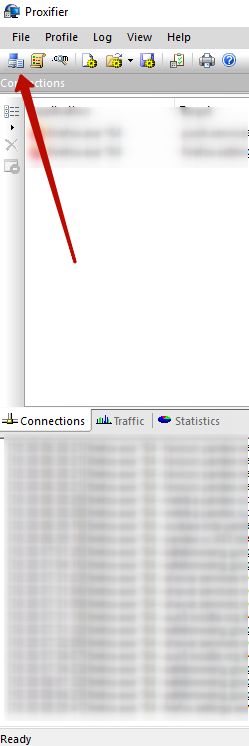
- Let’s get started: Open the Proxifier program and click on Proxy Servers.
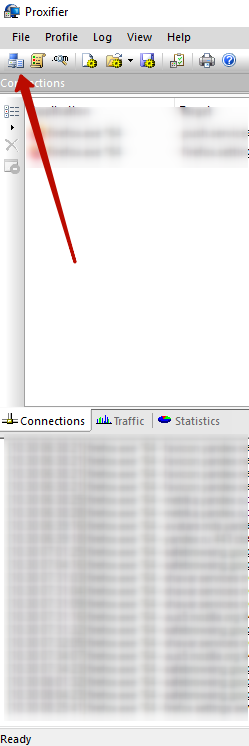
- In the new window, click Add….
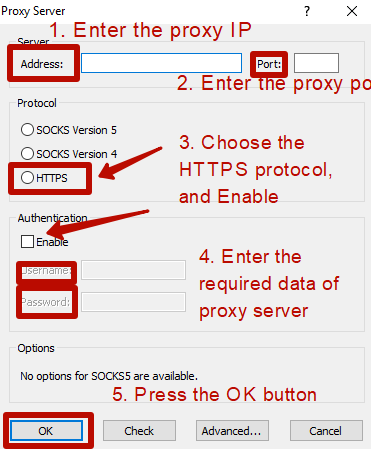
- Fill in the fields with your proxy server information—IP, port, username, and password for authentication. These details can be found in your proxy order email or in your account at arnproxy.com.
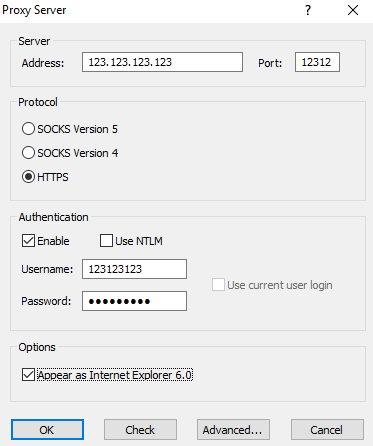
- After configuration, your proxy list should look like this:
- Click OK and then No (when prompted). Now that your proxy server is set up, let’s assign proxy output for the desired website. Click the Proxification Rules tab.
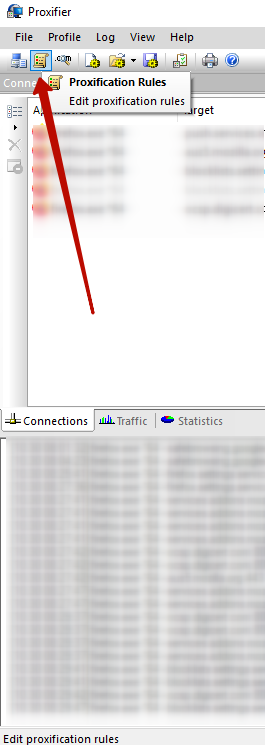
- We’ll set up proxy output for a specific web page: click Add….
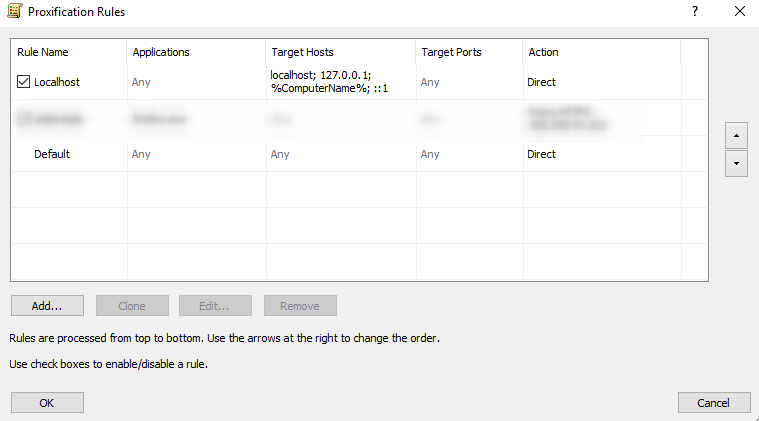
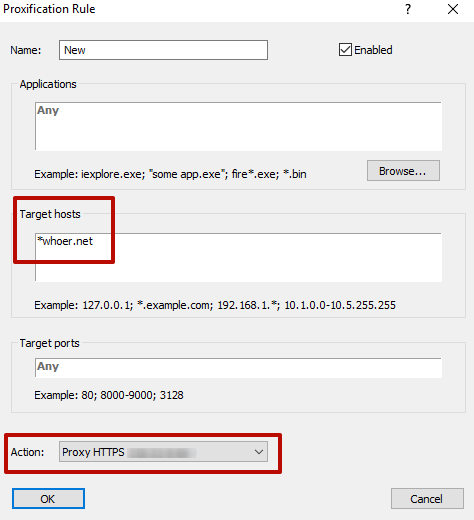
- In the new window, fill in the “Target Hosts” and “Action” fields. Under Target Hosts, specify the site (e.g., whoer.net). Be sure to use a wildcard “*” if needed, and enter the direct domain name. In the Action field, select which proxy to use for that site. Your rule list should look like this after saving changes:
- If the logs window shows green, the proxy for that site is successfully configured and ready to use. If red, double-check your settings or contact your proxy provider’s support. In our case, the proxy is set up correctly.
- Let’s test the proxy using the whoer.net proxy checker.

- Done! Now, the configured IP is active only for that specific site—on all others, your default provider IP is visible. To achieve your goal for another site, simply add another proxy in Proxification Rules, assign it to the next target site, and so on. For each site, traffic will be routed through its assigned proxy.
- To confirm, use whoer.net (or any proxy checker) to verify both proxies are working for their assigned domains at the same time.
Last updated:

Windows 7 Proxy Setup Guide: Step-by-Step Proxy Configuration
Windows 7 Proxy Setup Guide: Step-by-Step Proxy Configuration
Windows 8.1 Proxy Setup Guide: Step-by-Step Proxy Configuration
Windows 8.1 Proxy Setup Guide: Step-by-Step Proxy Configuration
Windows 10 Proxy Setup Guide: Step-by-Step Proxy Configuration
Windows 10 Proxy Setup Guide: Step-by-Step Proxy Configuration